How to Complete the
D'Viajeros Form for UK Travellers
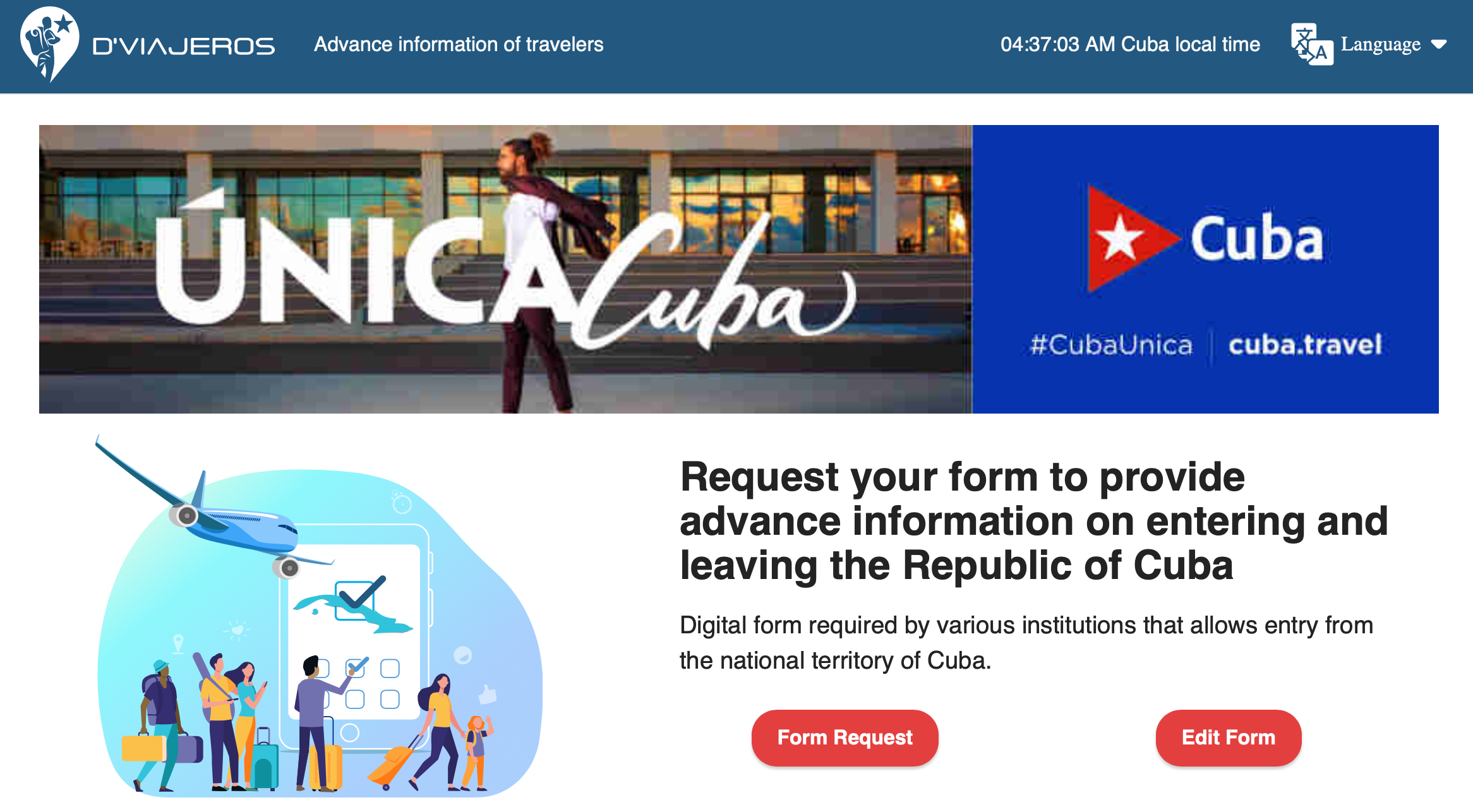
D'Viajeros is Cuba's mandatory digital advance-information process for travellers. It is separate from the Cuba eVisa application: you first resolve the visa route that applies to you, then use the relevant visa information while completing D'Viajeros. The form supplies advance information to Cuban immigration, customs and public-health authorities.
This guide preserves the practical sequence shown on the existing page for UK and English-speaking travellers. Portal labels can change, so read each on-screen instruction before submitting.

D'Viajeros Cluster Navigation
- Need the overview first? Visit the D'Viajeros knowledge hub.
- Still need to resolve the visa? Start with the Cuba eVisa hub.
- Checking every document before departure? Use Cuba Entry Requirements.
This article owns the detailed form sequence. The Hub provides navigation; the eVisa Hub covers the separate visa task.
Essential Preparation Before You Start
Have the relevant travel information beside you before opening the official D'Viajeros portal.
Timing update: The Cuban Embassy in the United Kingdom says the digital form can be completed up to 7 days before the trip, extending the earlier 3-day window.
| Prepare | What to check |
|---|---|
| eVisa information, where applicable | UK guidance says an approved electronic visa comes with a ten-character code that is entered in D'Viajeros and used to generate the QR code. |
| British passport | For the full British citizen passport audience covered by GOV.UK, the expiry date must be at least 6 months after arrival and 3 months after planned departure. |
| Flight details | Keep the booking confirmation available so you can copy the carrier, flight and arrival details requested on screen. |
| Accommodation | Keep the hotel name or casa particular address available for the accommodation fields. |
The passport rule above is specific to the GOV.UK audience described on its Cuba entry-requirements page. Travellers using another passport should check the rules for that passport and itinerary.
Step-by-Step Guide to the Declaration
1. Personal Data
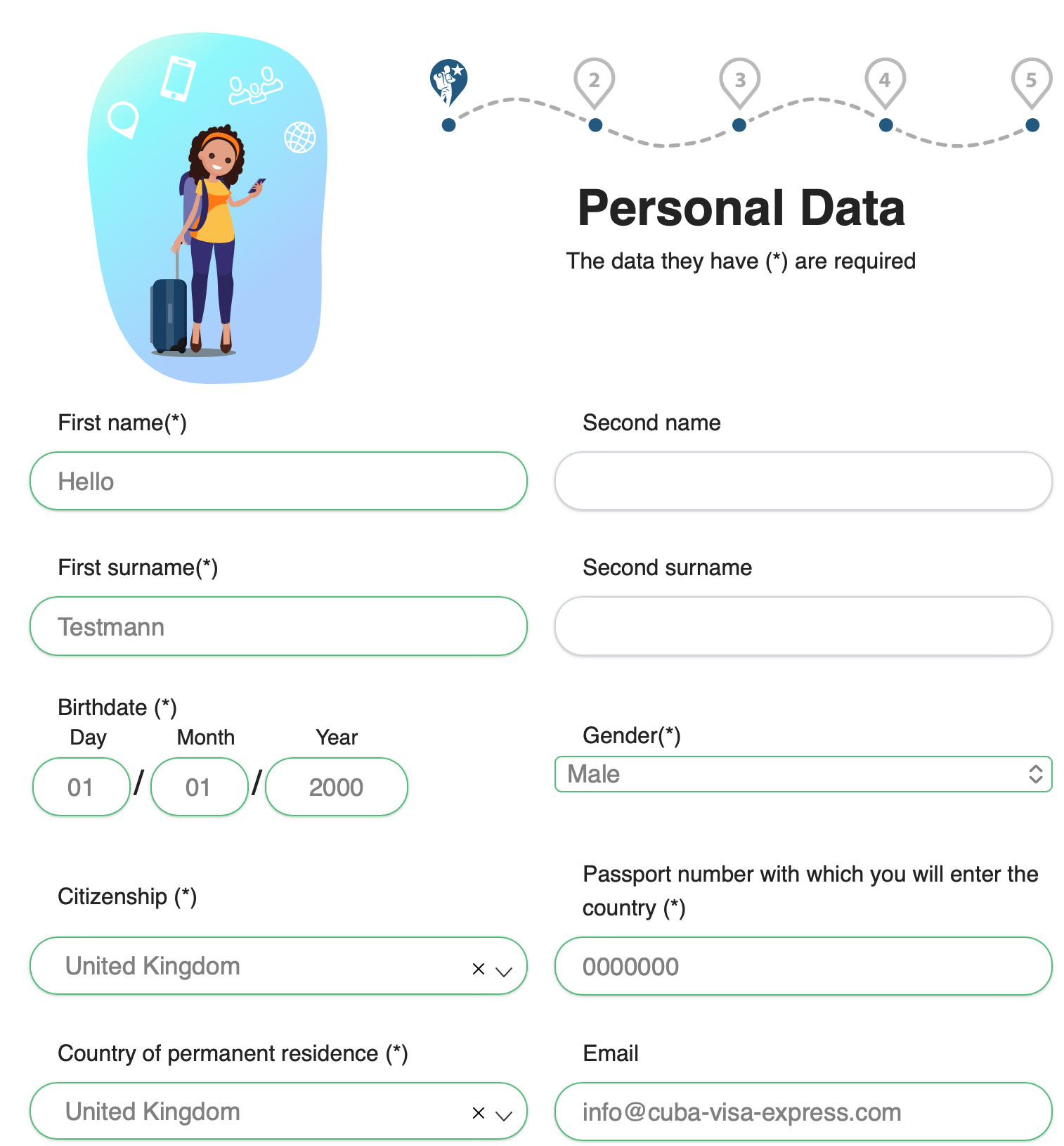
Enter your personal details carefully, following the labels currently shown on the portal. Copy your name and passport information consistently from the travel document you will use for the trip. If your passport lists middle names, do not omit them simply to shorten the form.
2. Flight Information
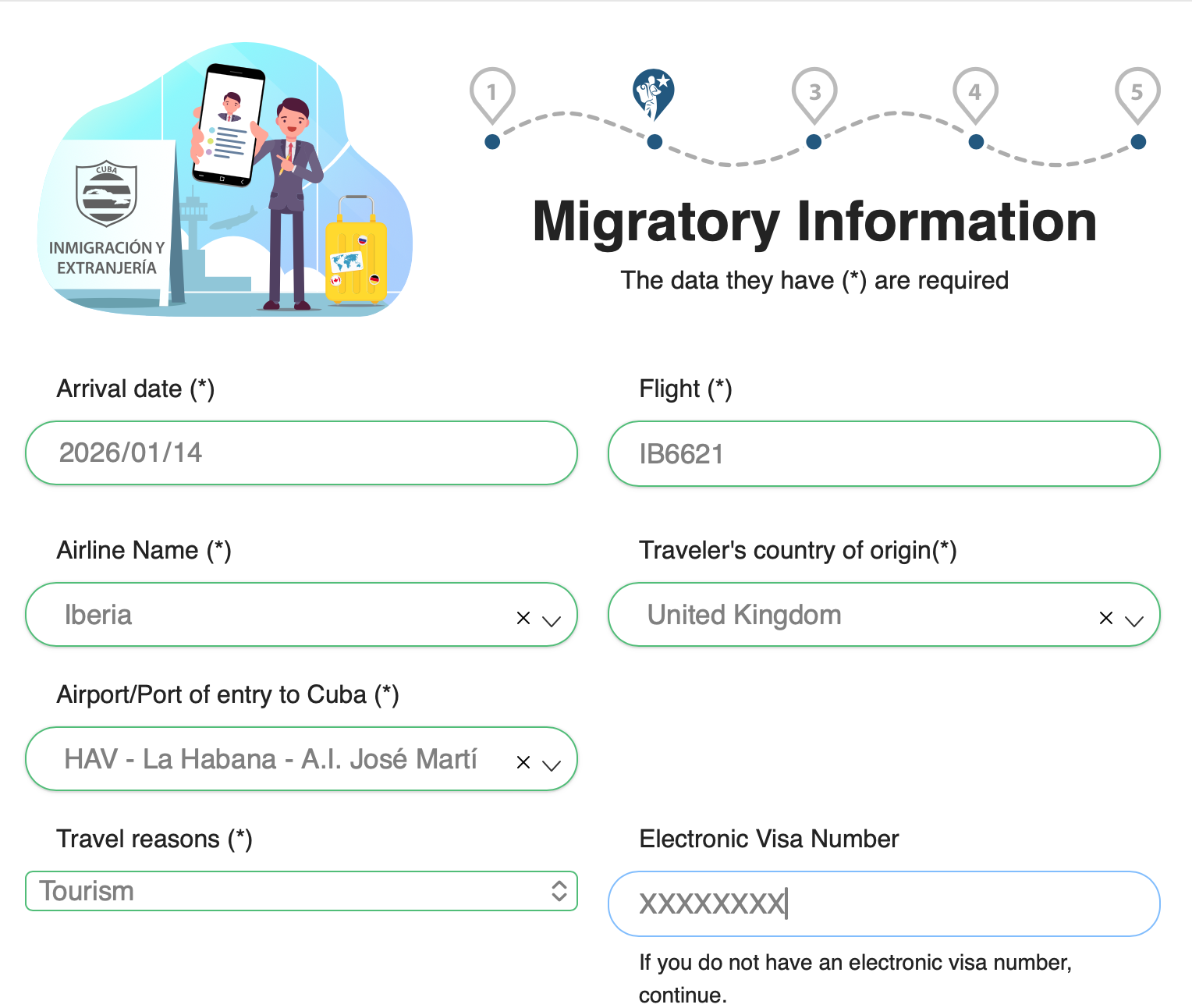
Use the booking confirmation to enter the flight and arrival information requested on screen. Check the flight number, carrier and arrival point before moving on. If the itinerary changes after you submit, return to the portal and use its edit or retrieval route rather than inventing replacement details.
3. eVisa Information
Where the form requests electronic-visa information, use the code issued for the traveller. Current GOV.UK guidance describes this as a ten-character code; entering it in D'Viajeros connects the advance passenger information with the QR document used at the border.
This is not a new visa application. If you do not yet have the visa information required for your trip, resolve that task before trying to complete this part of the declaration.
4. Health and Customs
Complete the health and customs sections according to the questions shown and your actual circumstances. Read the declaration prompts closely, particularly where the portal asks about goods, baggage or health information. This guide cannot determine what you must declare in an individual case.
5. Final Declaration
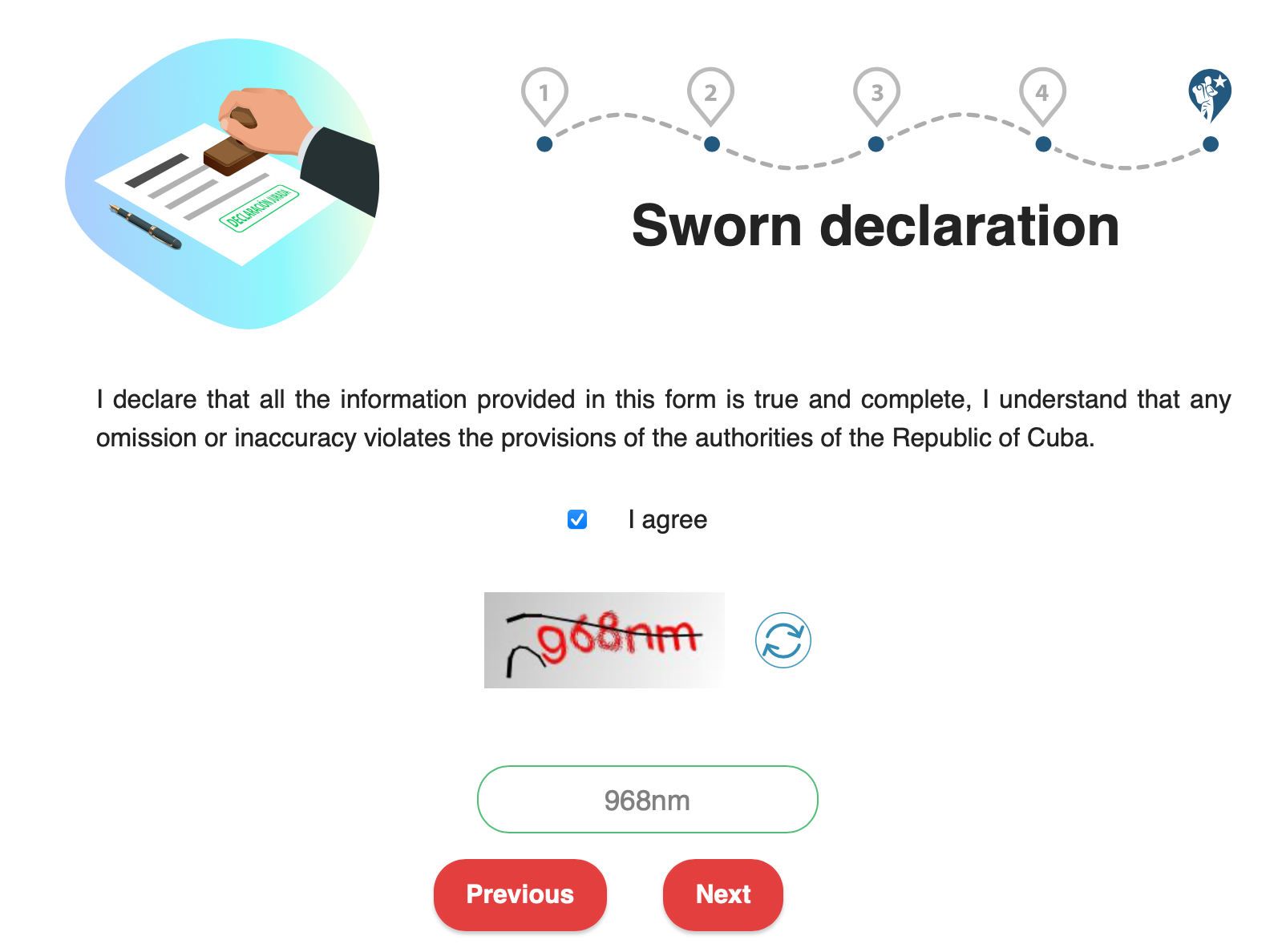
Review the information before accepting the declaration and submitting the form. Check names, passport data, travel details and visa information against the original documents.
The official portal provides an Edit Form route. If something needs correcting, use that route and follow the current portal instructions; do not assume that every field can be changed in every status.
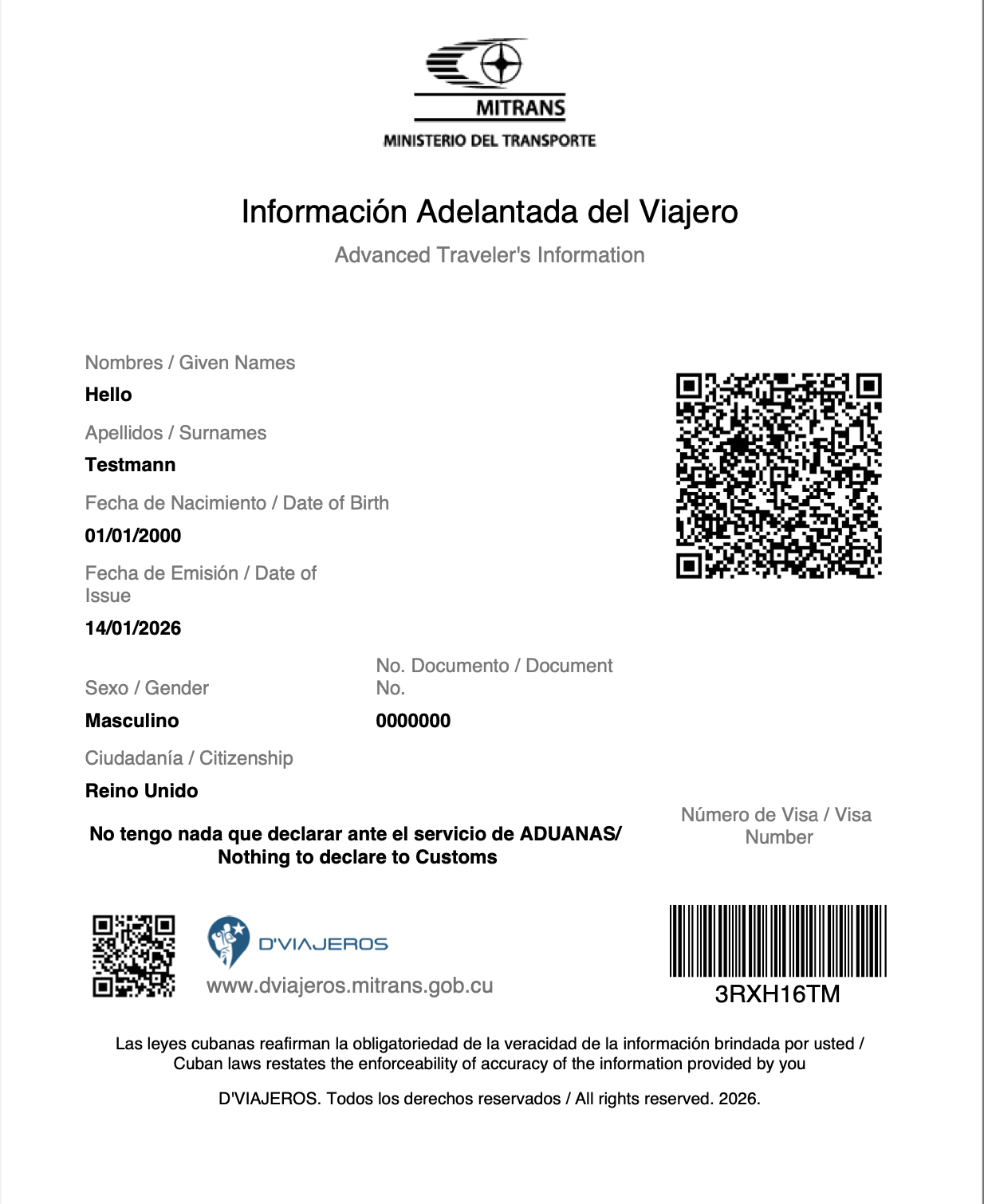
6. Save Your QR Code and PDF
After completion, save the resulting travel document. GOV.UK says the QR can be shown to the authorities on arrival in electronic or printed form, and airlines check completion at check-in.
Download the completed D'Viajeros form as a PDF and keep an offline copy. GOV.UK specifically recommends downloading or printing it before arrival because Wi-Fi may not be accessible in Cuba.
If confirmation, QR or eVisa linking fails
Use this section only after you have already tried the form sequence above. First decide whether the problem is still on the eVisa side or already on the D'Viajeros side.
| Symptom | Likely owner | First move |
|---|---|---|
| No approval message or ten-character visa code | eVisa issuing channel | Follow Cuba eVisa problems — do not treat a payment receipt as approval. |
| Code exists, but name, passport number, nationality or email looks wrong | eVisa application data | Contact the issuing channel; correcting D'Viajeros fields alone does not rewrite the visa record. |
| Code and passport match, but D'Viajeros rejects the code or will not generate the QR | D'Viajeros linking / form completion | Re-enter the exact ten-character code, keep a screenshot of the error, then use the portal Edit Form or retrieval route. |
| Form appears complete, but confirmation or QR email is missing | D'Viajeros document recovery | Recover the completed record in the official portal, download the PDF, and keep an offline copy. |
Official public guidance does not publish a stable list of D'Viajeros error codes or a universal confirmation-email delivery time. Do not invent either. If the code and passport are confirmed and the portal still fails, preserve the exact on-screen wording and use the live help path shown on the portal; include the issuing channel only when the error appears to concern the visa record itself.
For missing delivery, wrong passport data or urgent eVisa recovery, stay on Cuba eVisa problems. This page owns the form sequence and portal-side linking recovery only.
Frequently Asked Questions
Is the official D'Viajeros form free to complete?
When can I complete D'Viajeros?
Is D'Viajeros the Cuba eVisa application?
What should I do if I need to correct the form?
What if I forget to save the QR code or PDF?
Do I need an offline copy?
Why does D'Viajeros reject my eVisa code?
I did not receive a confirmation or QR email — what now?
Is the Cuba eVisa Still Unresolved?
If you already have the visa information required for your trip, continue with D'Viajeros; there is no reason to buy the same service again.
If the tourist eVisa itself is still unresolved, use the English Cuba eVisa service page. Cuba Visa Express supports the eVisa application task but does not fill in the separate D'Viajeros personal, health or customs declaration for you.
Sources and Important Notice
- Official D'Viajeros portal — form and edit entry points
- Cuban Embassy in the UK — D'Viajeros platform update — mandatory process and advance-completion window
- GOV.UK — Cuba entry requirements — UK passport, eVisa-code and QR/PDF guidance
Legal notice
Cuba Visa Express is a private service provider and not a government authority, embassy or consulate. This page provides general information and does not constitute legal advice. Entry, airline and portal requirements can change; verify the rules that apply to your passport and itinerary with the relevant official authorities before travel. Approval, boarding and entry decisions remain with the relevant authorities and carriers.
As of: 11 August 2026. Verify current requirements on the official D'Viajeros portal and the official sources above.
Private visa service Cuba Visa Express is a private service provider, not a government authority, embassy or consulate. D'Viajeros is a separate government process completed by the traveller.
Only if the tourist eVisa task is still unresolved.